
Know where you rank on every street.
localweave runs your searches from points all around each location, asks AI assistants who they recommend, and keeps your reviews and listings in view. Then it tells you what to fix first.
Quick Checks need no account.
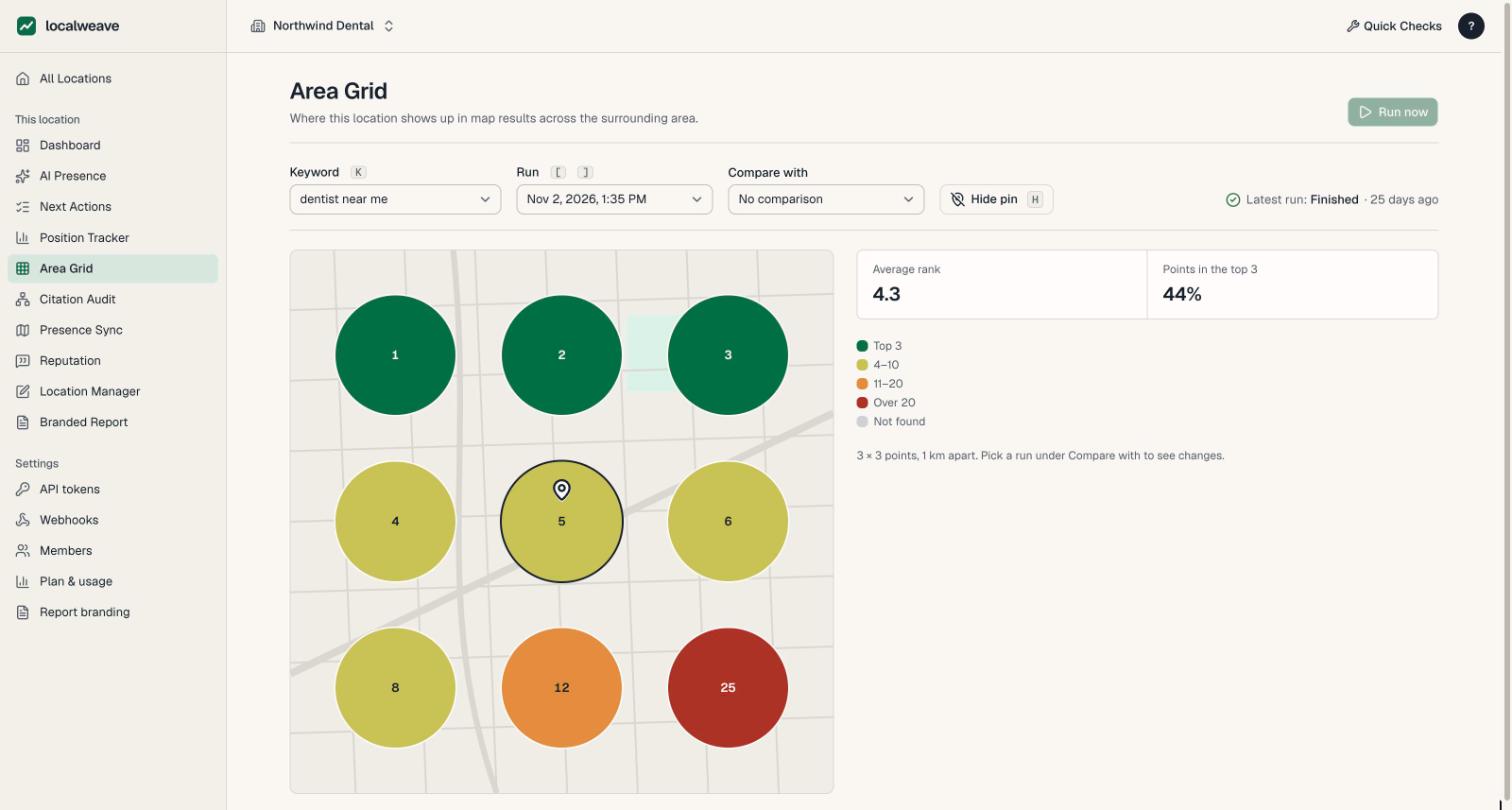
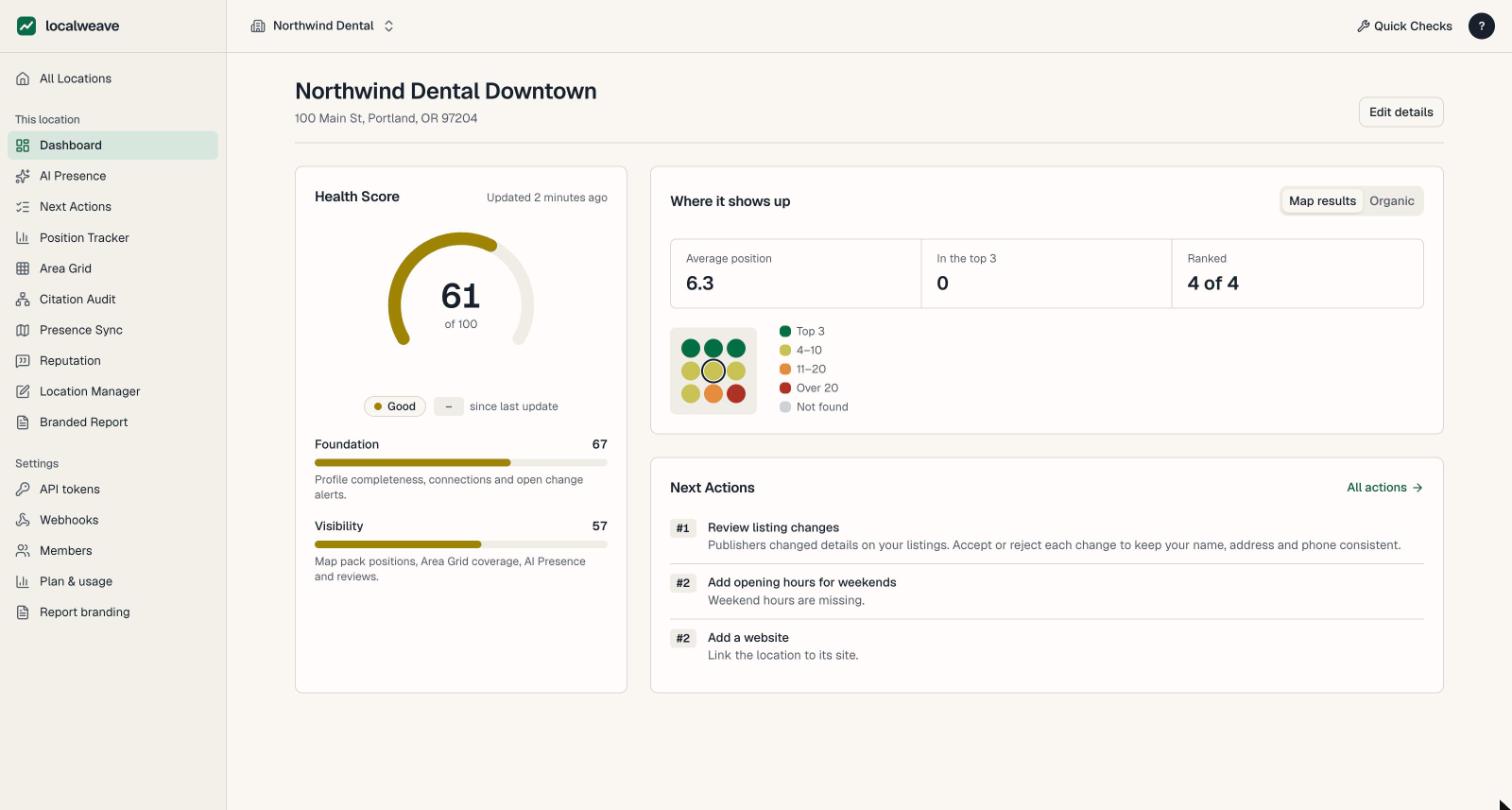
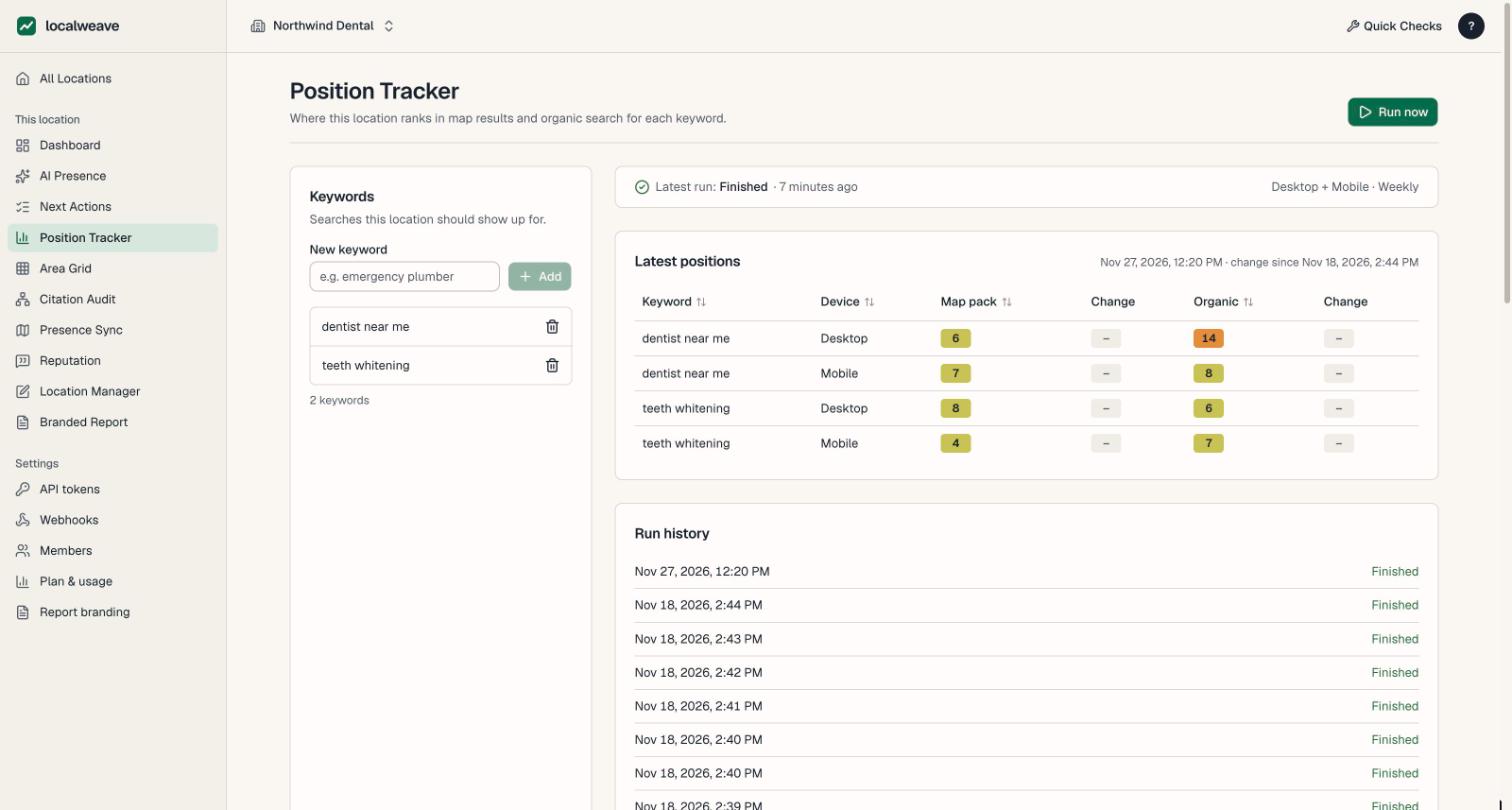
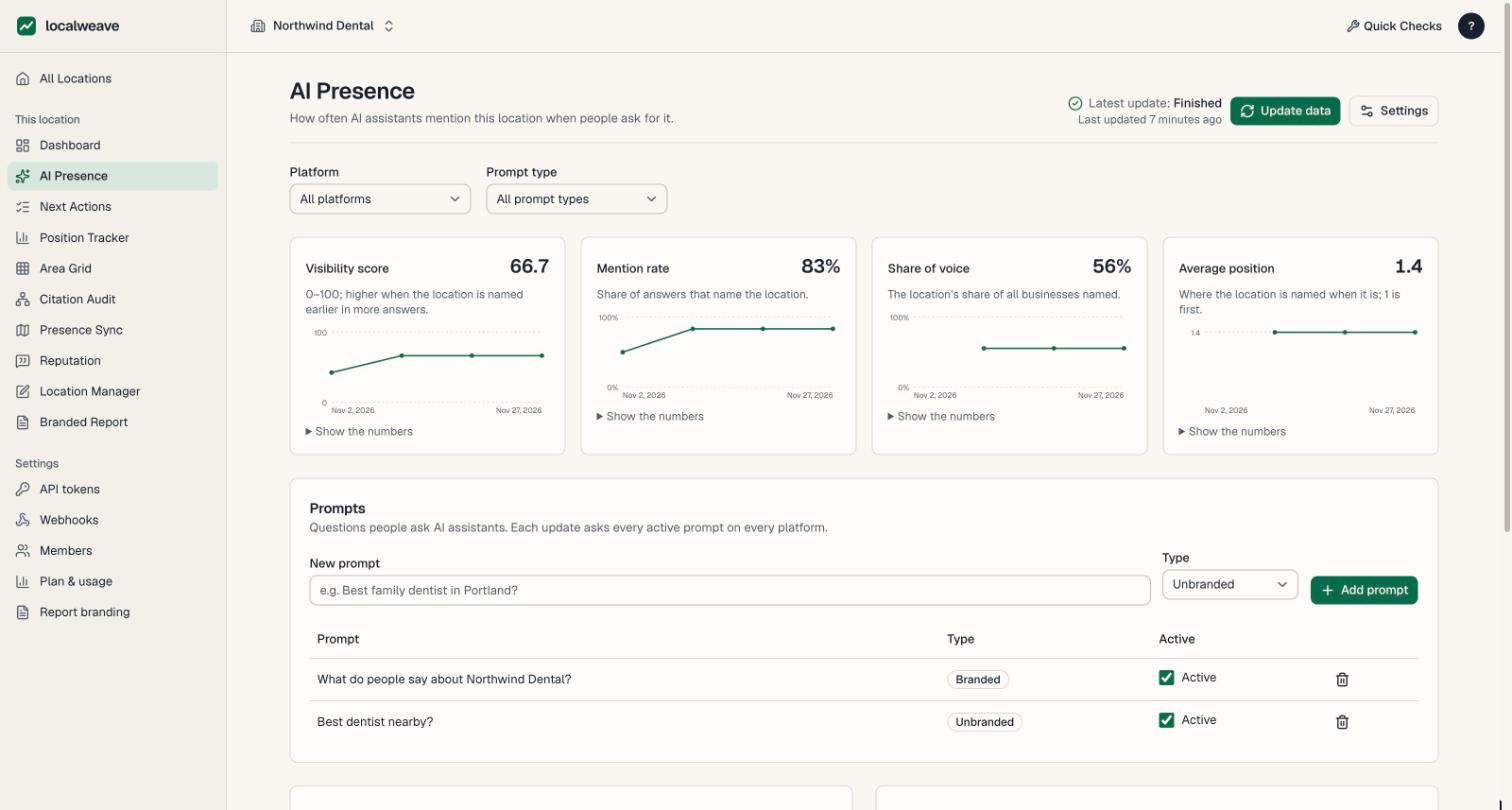
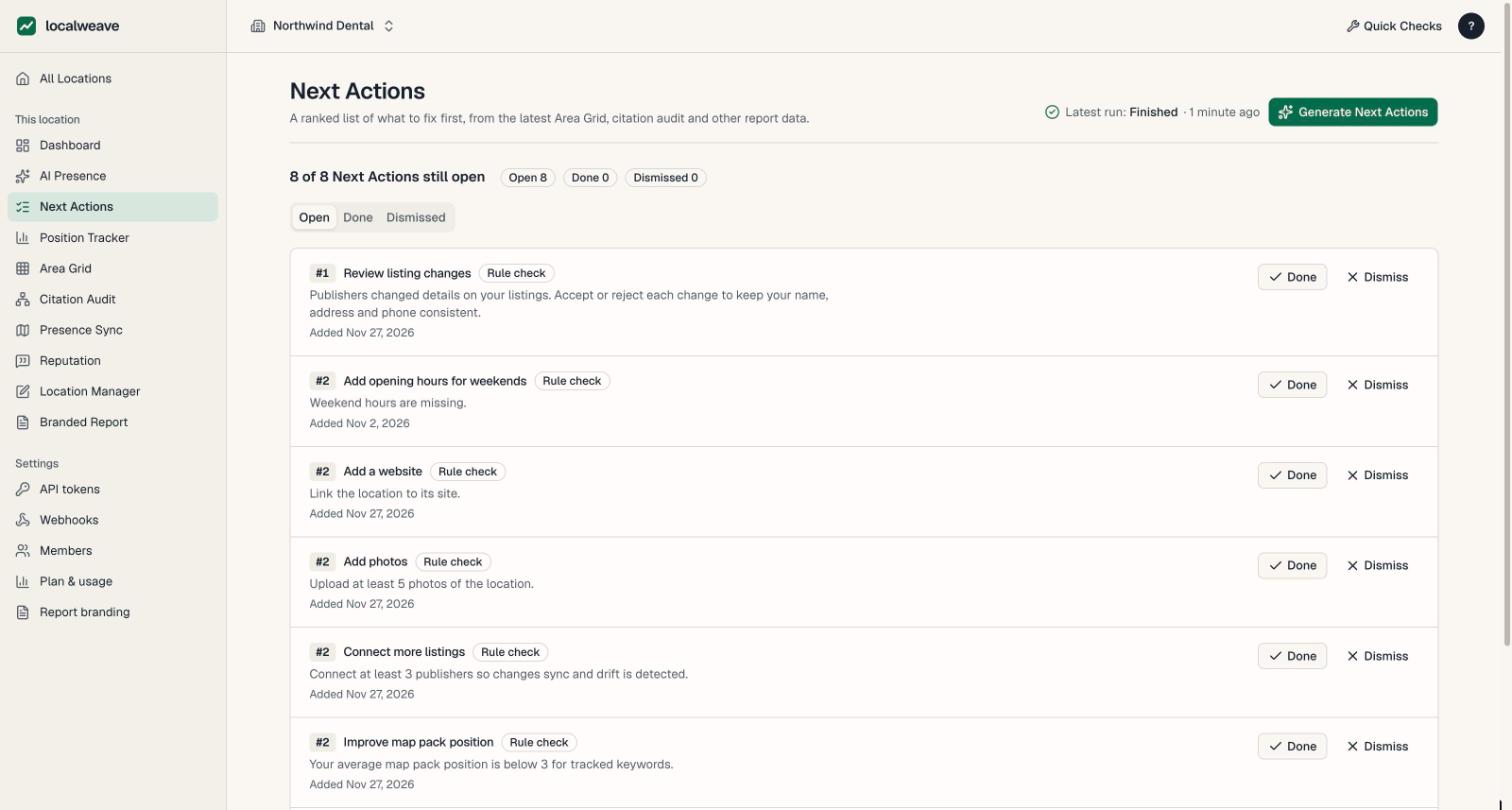
Area Grid Your rank at every point of a grid laid over the map.
- Rank at every point of a map grid
- What AI assistants say about you
- Reviews and listings in one feed
- A ranked list of what to fix
From first location to first fix.
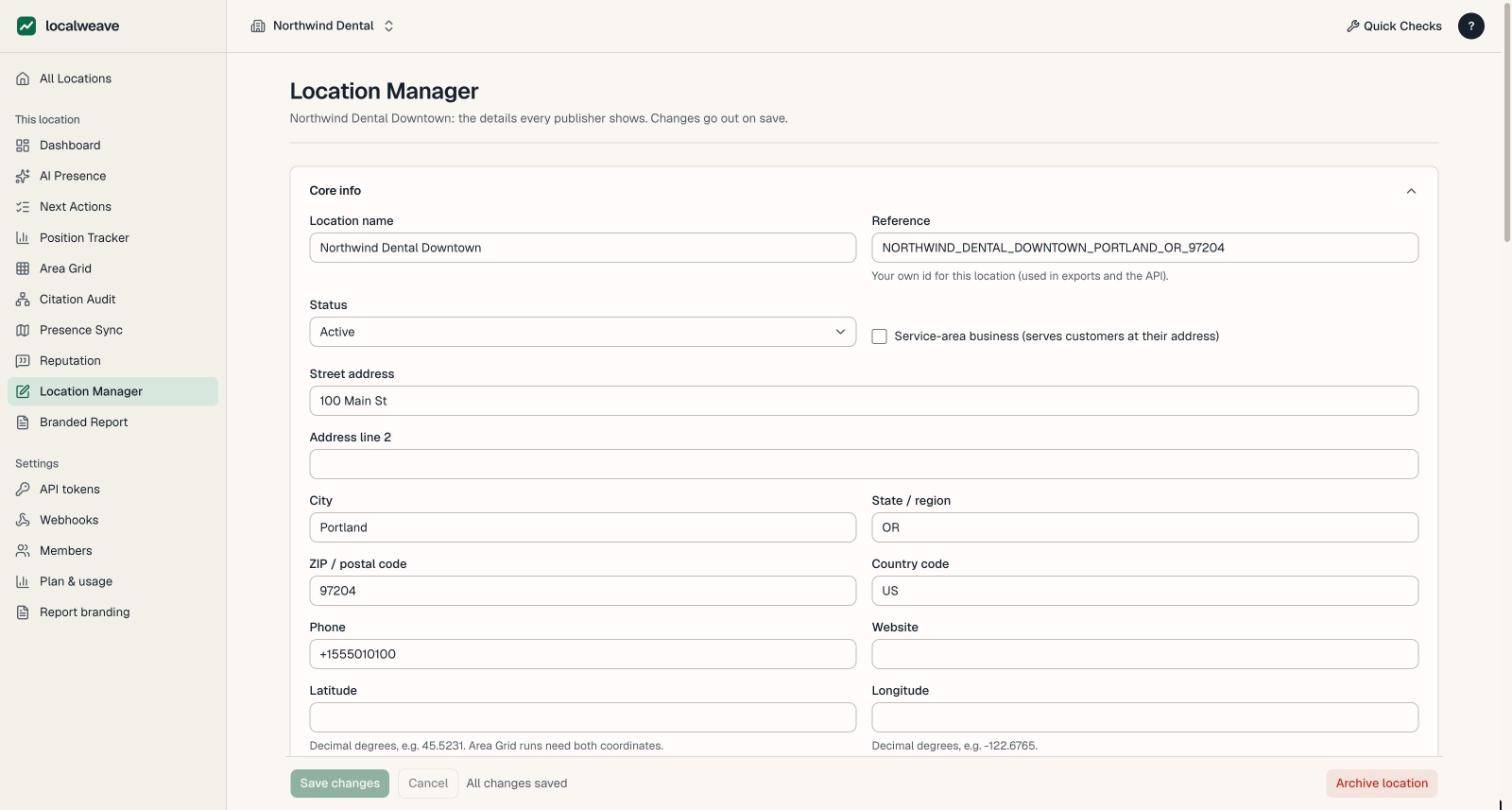
Step 1: Add a location
Location Manager
Enter the name, address, hours, categories and photos once: the one source of truth every check reads from. Citation Audit finds the directories that list these details wrong, and Presence Sync alerts you when a connected listing drifts from them.
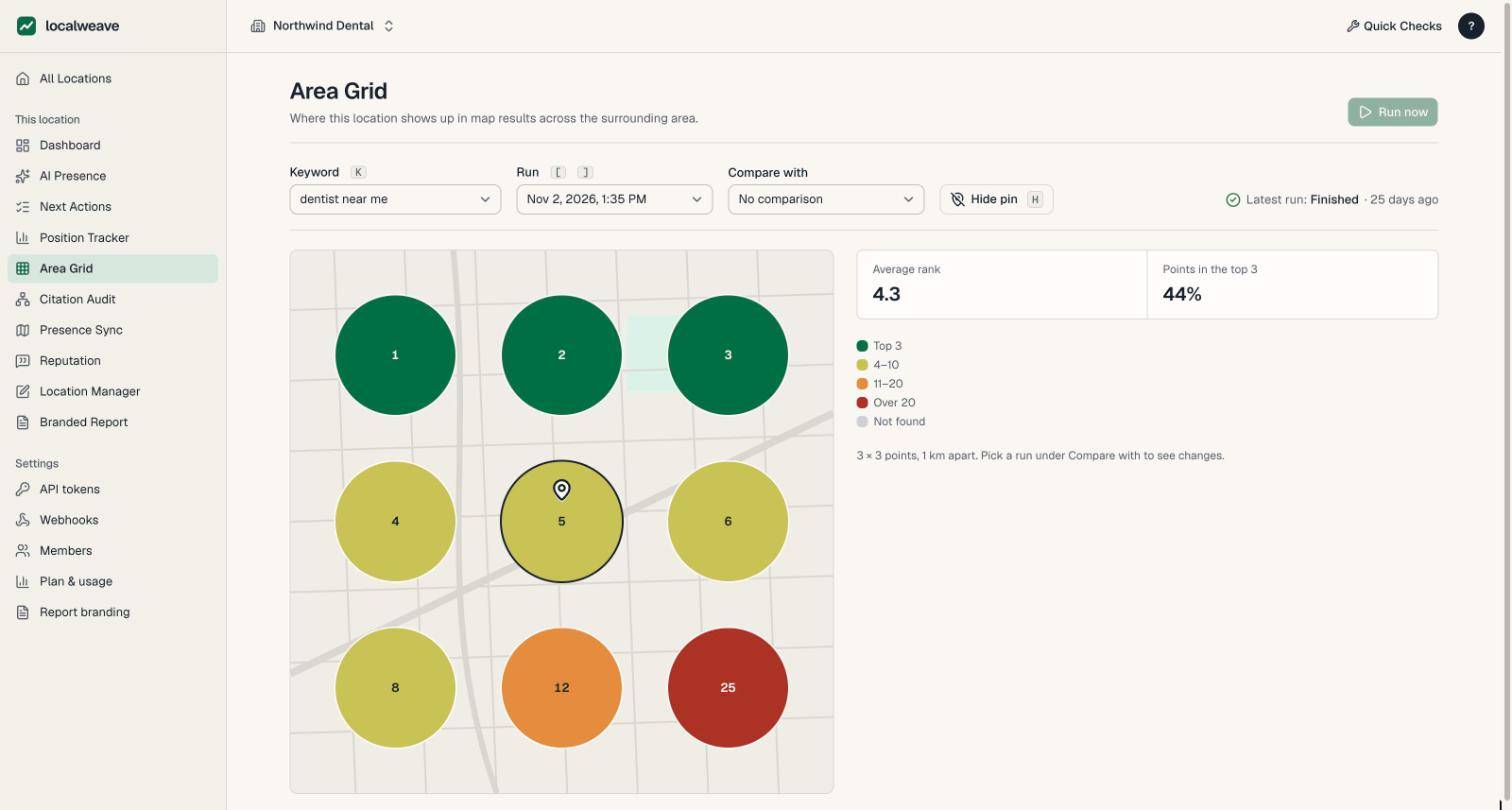
Step 2: Map where you rank
Area Grid
Choose the searches your customers make. Each run checks them from points across the map around you and keeps the history, so last month is always one click away.
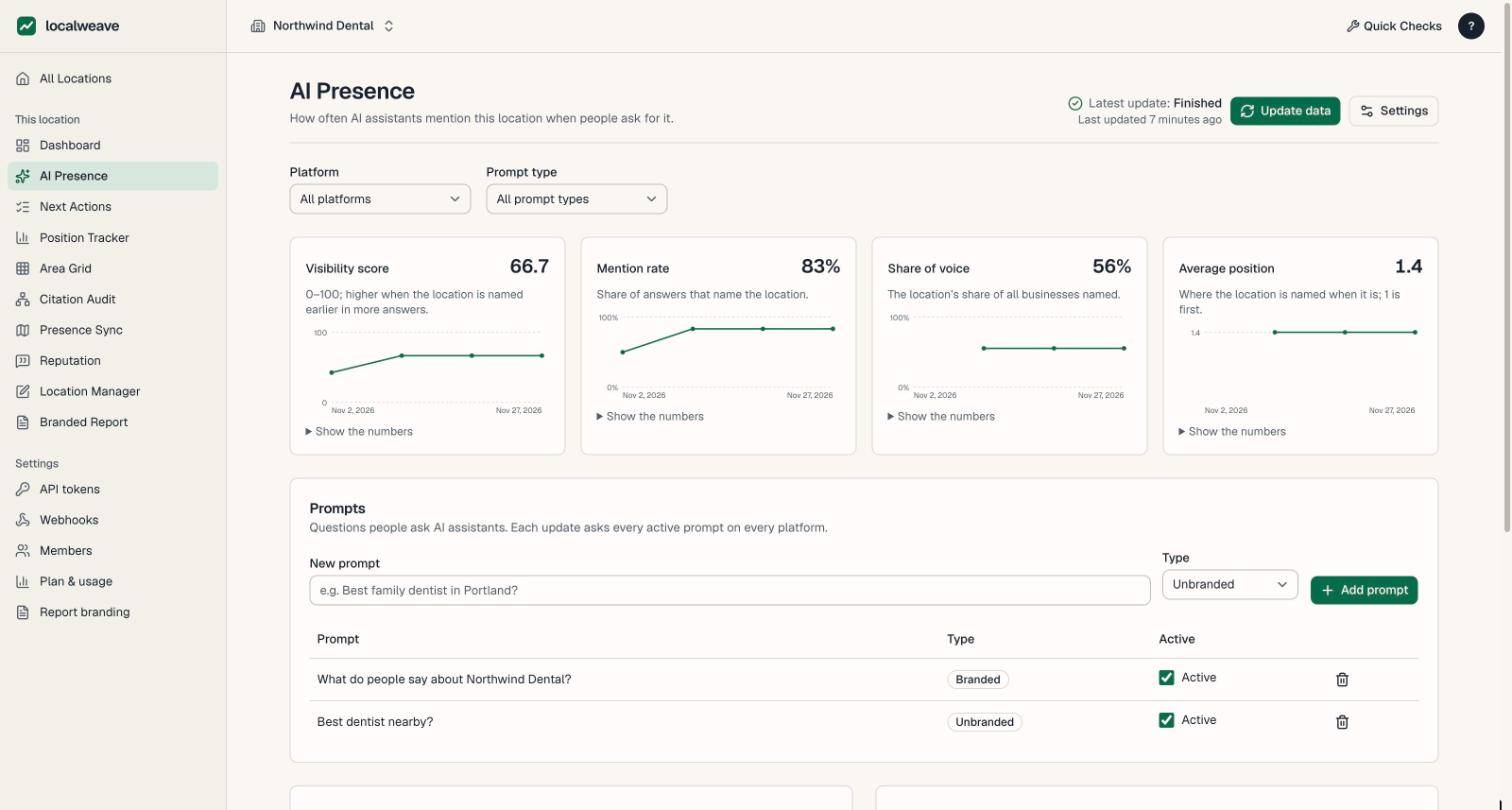
Step 3: Hear what AI assistants say
AI Presence
Prompts with and without your name show whether assistants mention you, who they suggest instead and which sources they lean on.
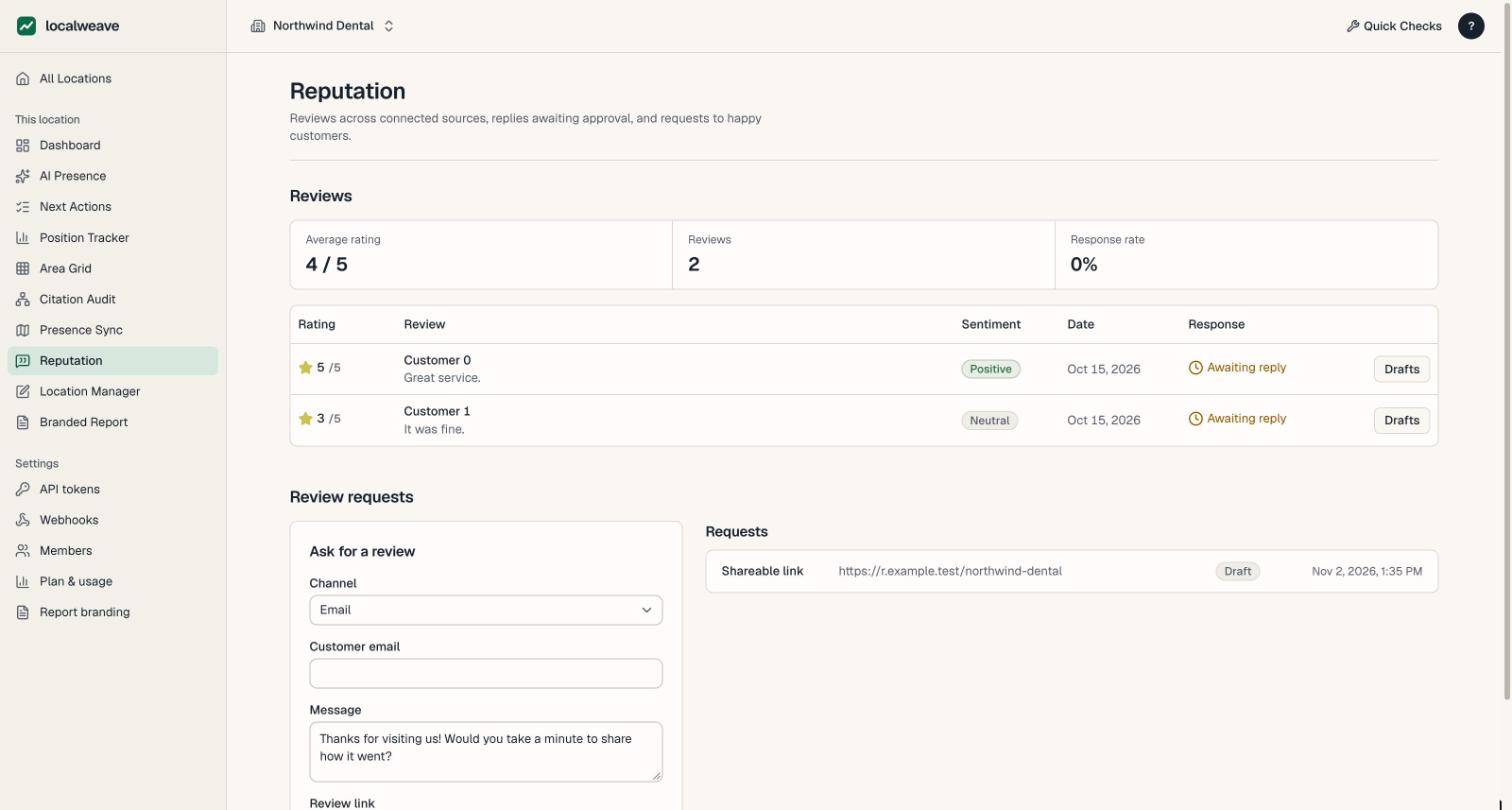
Step 4: Keep up with reviews
Reputation
New reviews land in one list. Draft a reply where you read it; a person on your team checks it and sends it.
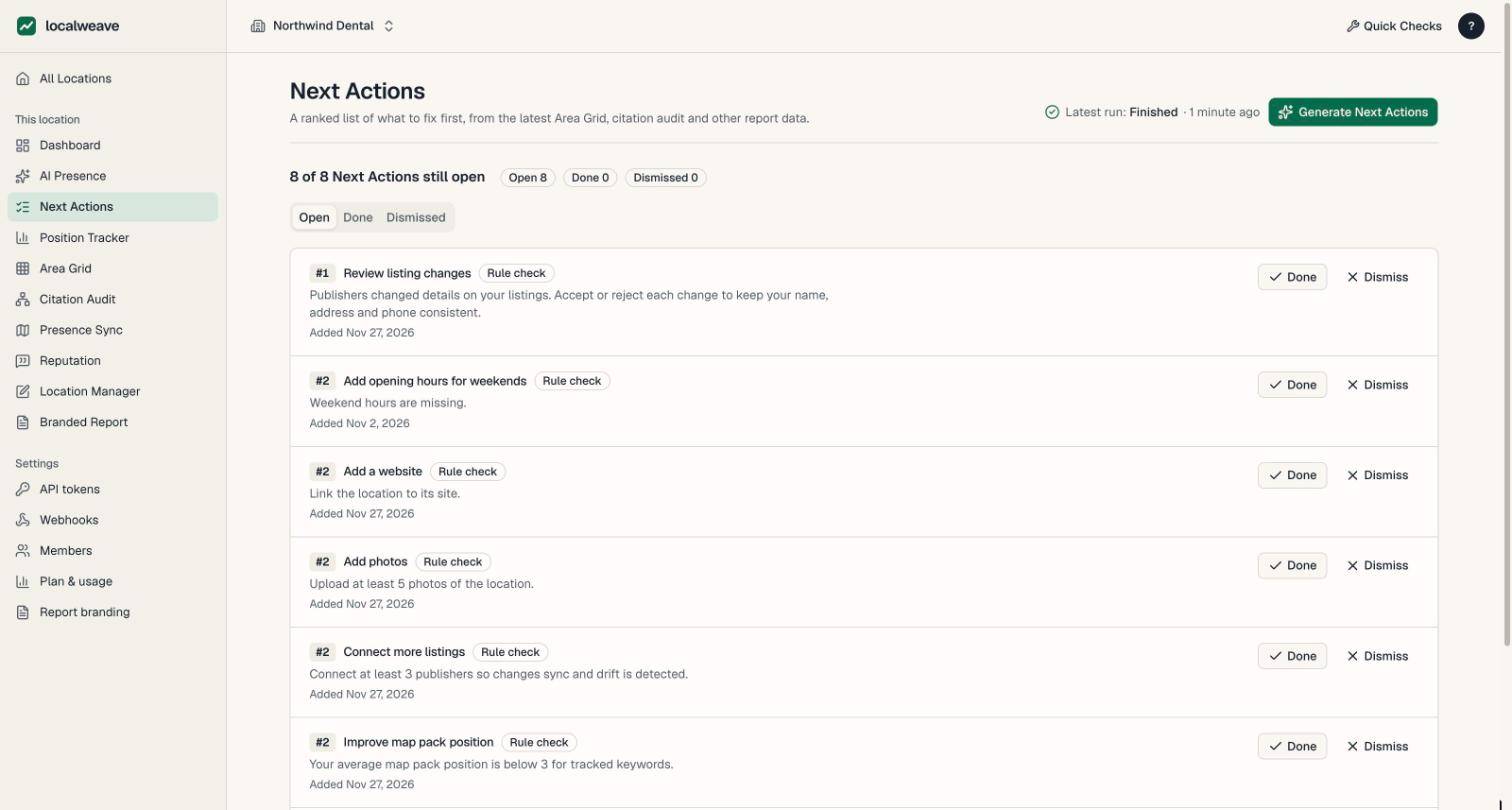
Step 5: Fix what matters first
Next Actions
The Health Score weighs your Foundation and your Visibility. Next Actions turns the gaps into a short list, most urgent first.
Step 1 of 5: Location Manager
One ranking is a guess.A grid is a map.
Search results change from block to block. An Area Grid runs the same search from points spread around your location and colors each one by where you appear, so you can see exactly where you lead and where a competitor takes over.
Run it again next month and compare the two runs side by side. The share of points where you rank in the top three feeds straight into your Health Score.
- 1 to 3
- 4 to 10
- 11 to 20
- Over 20
Every screen answers one question about one location.
Where do we rank? What do assistants say? Which reviews need a reply? What should we fix this week?
And the rest of the toolkit.
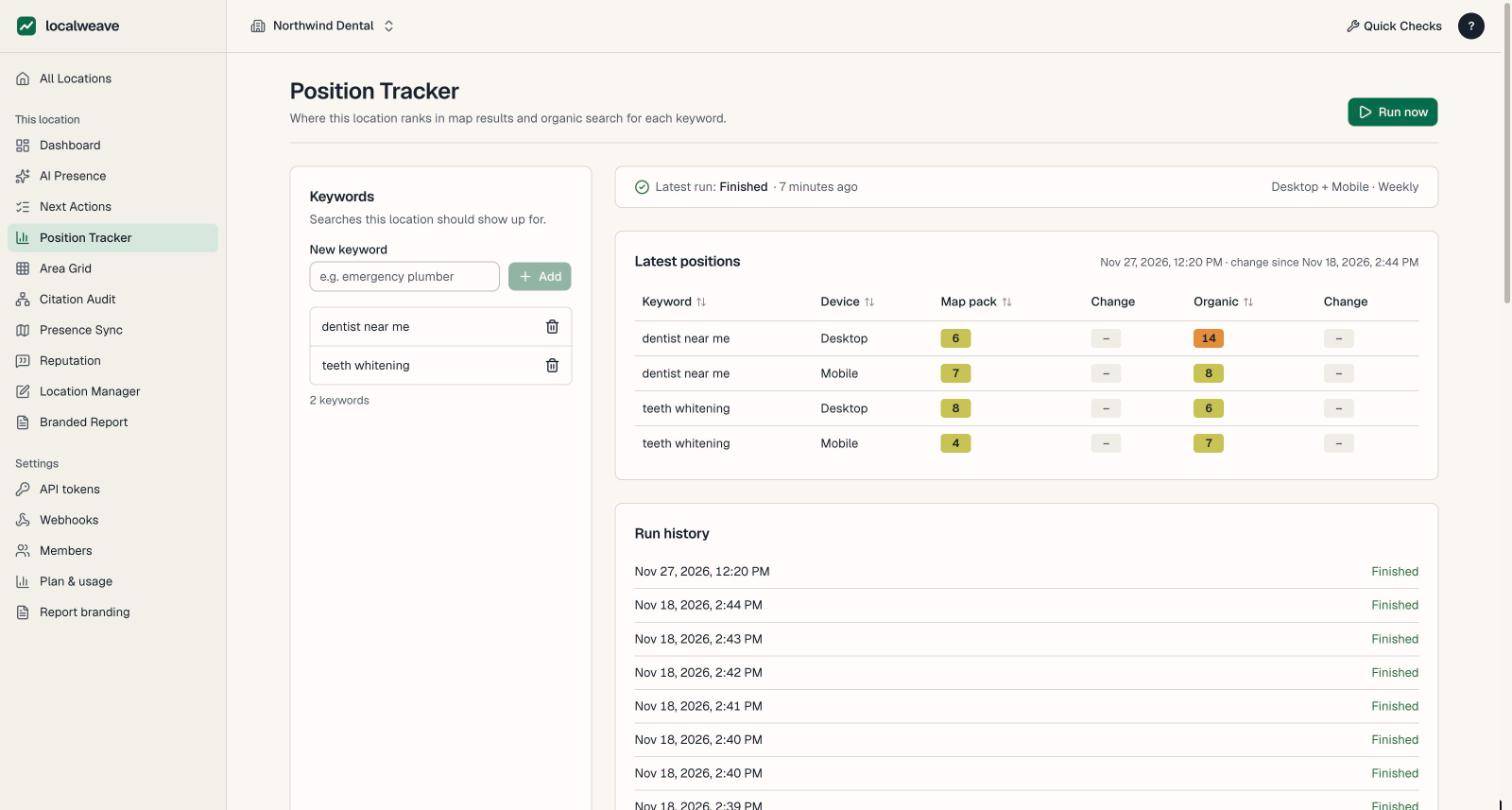
Position Tracker
AnswersWhere do we show up for each keyword, in the map pack and in organic results?
Add the searches that bring customers in, run a report whenever you need one, and watch each position move from run to run, on desktop and mobile.
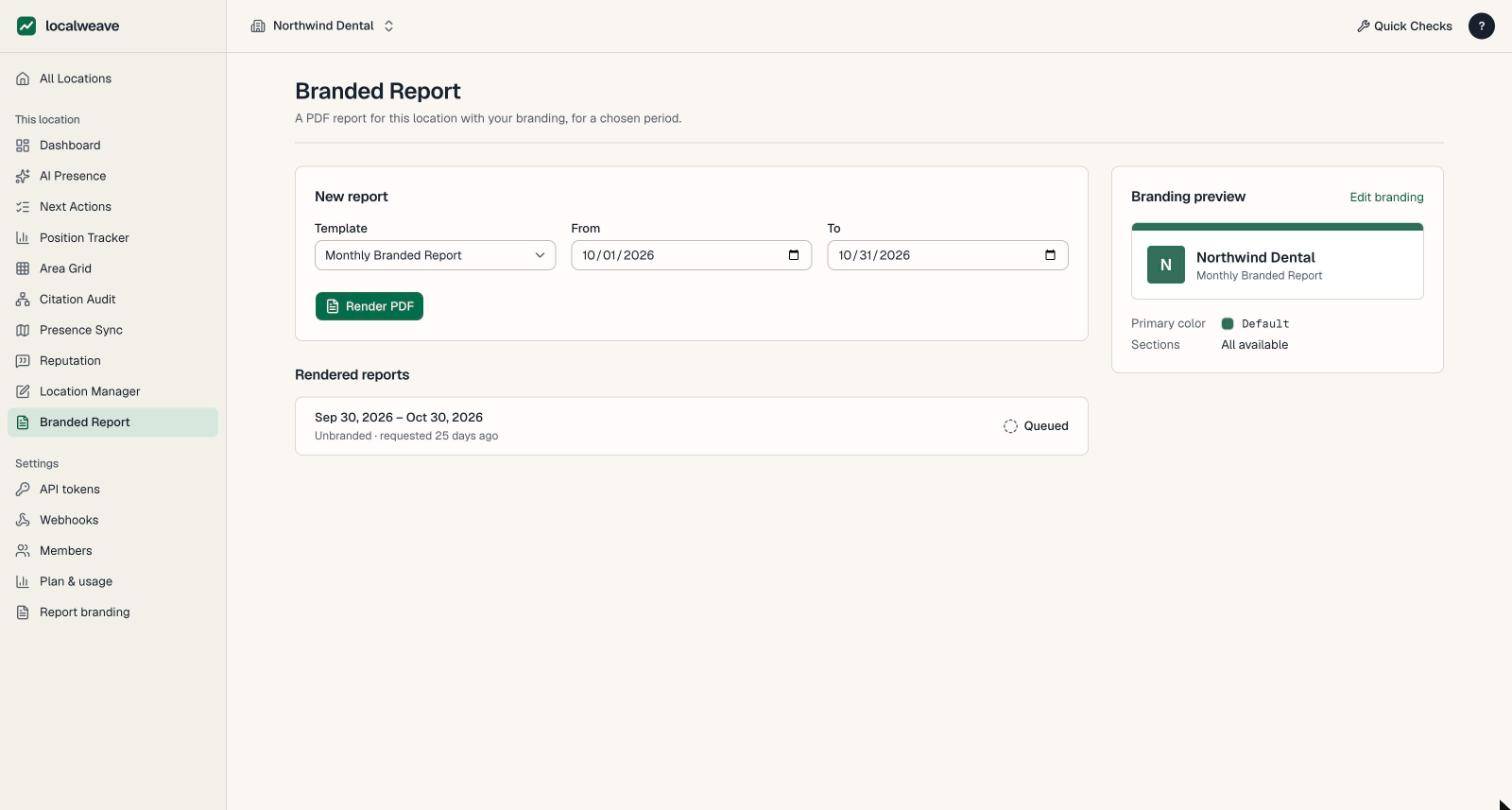
Branded Report
AnswersWhat do we send the client this month?
Pick a template, add your branding and download a PDF for each client or location.
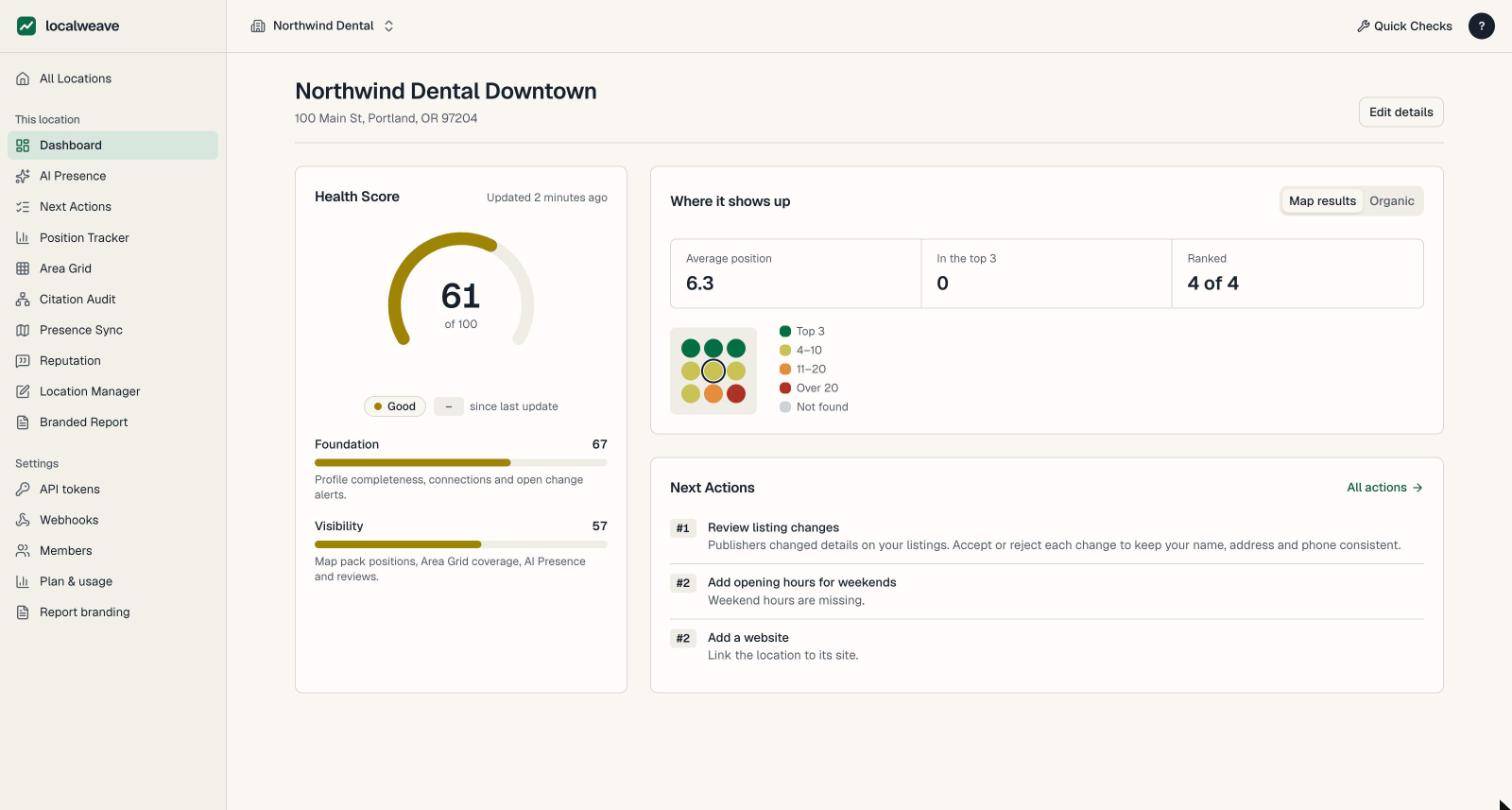
Dashboard
AnswersHow healthy is this location, and what should we look at first?
Each location opens on its Health Score, a visibility map with key numbers, and the top Next Actions.
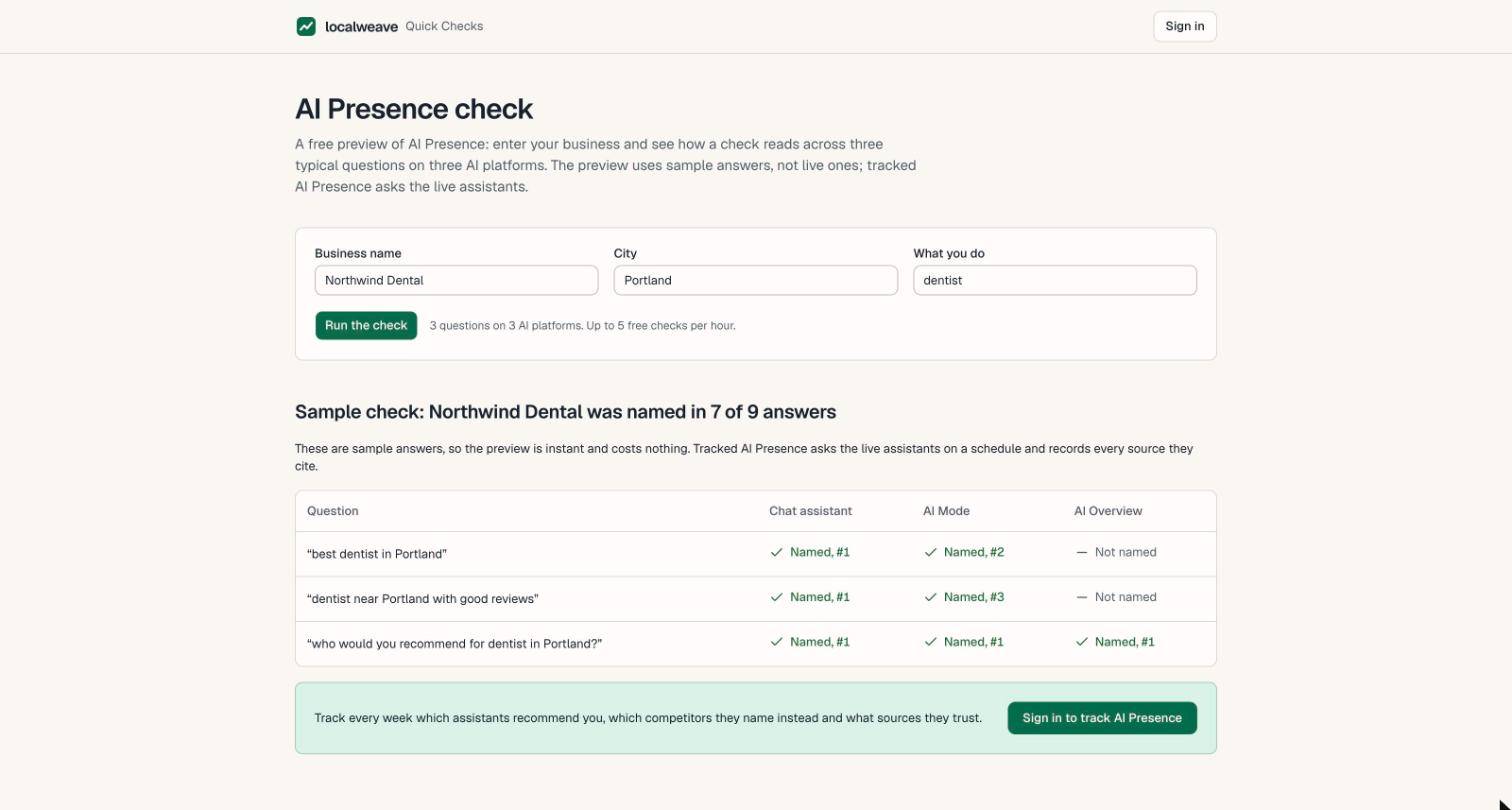
Quick Checks
AnswersWhat can a prospect check before they sign up?
Share the free checks with prospects: a results-page link for any city, a review link with a QR card, and an AI Presence preview.
People ask an assistant where to go. Does it name you?
AI Presence puts the questions your customers ask to AI assistants and to the AI answers in search, then shows what came back.
- Mentions
- Whether you are named, for prompts with your name in them and for the ones without it.
- Competitors
- Which businesses the answers recommend instead of you.
- Sources
- The pages the answers cite, so you know which listings and reviews to work on.
Made for whoever answers for the map.
Agencies
Run every client from one account. Filter All Locations by client, send Branded Reports with your logo, and give each teammate the role they need.
Multi-location brands
Put every branch on the same Health Score and see which ones slipped this week, and why, before a regional manager asks.
Local businesses
Start with one location and the free Quick Checks. See your own neighborhood the way your customers search it.
Built to be wired into your stack, and your agents.
The app runs on the same public API you get. Pull scores into a dashboard, trigger runs from a scheduler, or let an AI agent read your Area Grid.
- REST API. Versioned under
/v1, described by an OpenAPI contract, with tokens scoped to what each integration needs. - Webhooks. Your endpoint hears about finished runs, ready reports, new reviews and alerts as they happen.
- MCP server. AI agents get curated tools over the same data. Read-only by default; review replies are saved as drafts for a person to send.
locations_listarea_grid_getarea_grid_compareposition_reports_runai_presence_summaryai_presence_competitorsreviews_listreviews_draft_replyinsights_listquota_getGET /v1/locations/{id}/scores/latestAuthorization: Bearer $LOCALWEAVE_TOKENrun.completedrun.failedreport.readyreview.receivedalert.createdinsights.ready
Rankings, answers, reviews and listings, woven into one picture of every location.
Questions, answered plainly.
What is an Area Grid?
A set of points laid over the map around your location. localweave runs the same search from each point and records where you rank, so you see your visibility street by street instead of as one number. Runs are kept, so you can compare this month with last month.
How is the Health Score worked out?
It blends two sub-scores: Foundation (40%), which checks that your name, address, phone, website, category, hours, photos and connected listings are complete and consistent, and Visibility (60%), which comes from your Area Grid, map-pack position, AI Presence and reviews. Missing data earns nothing, and new or better data can never lower the score.
What does AI Presence check?
It asks AI assistants and the AI answers in search the questions your customers ask, both with your business name (branded) and without it (unbranded). You see whether you are mentioned, which competitors are named instead, and which sources the answers cite.
Does localweave reply to reviews for me?
It drafts replies; it never posts them. A person on your team reads every draft and sends it from the app.
Is it built for agencies?
Yes. All Locations has a client filter, Branded Reports carry your logo and colors, and team members get their own roles. Each location still gets its own Health Score and Next Actions.
What is included in the trial?
A new team starts a 14-day trial once its email address is verified: one location, 25 keywords, 3 competitors and 2 Area Grid keywords.
Can I try anything without an account?
Yes. The Quick Checks are free and need no sign-up: a results-page link for any city or ZIP code, a review link with a printable QR card, and a preview of the AI Presence check.
Can I connect my own tools or AI agent?
Yes. A REST API with scoped tokens covers locations, runs, reviews, scores and Next Actions, and webhooks tell your systems when a run finishes, a report is ready, a review arrives or an alert fires. An MCP server gives AI agents the same data, read-only unless you grant write access.
See your own grid.
Create a team, add your first location and run your first Area Grid today. The trial lasts 14 days.